Chapter 15
Account settings
· Published by Osentio
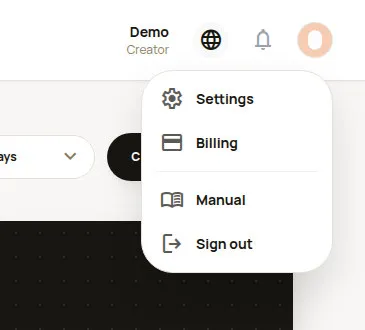
Clicking your avatar at the top right opens a menu:
- Settings: account, profile and team members.
- Billing: plan and payments (see chapter 14).
- Manual: opens the online manual in a new tab.
- Sign out: always sign out after using a shared computer.
For editors, the menu only shows Manual and Sign out.
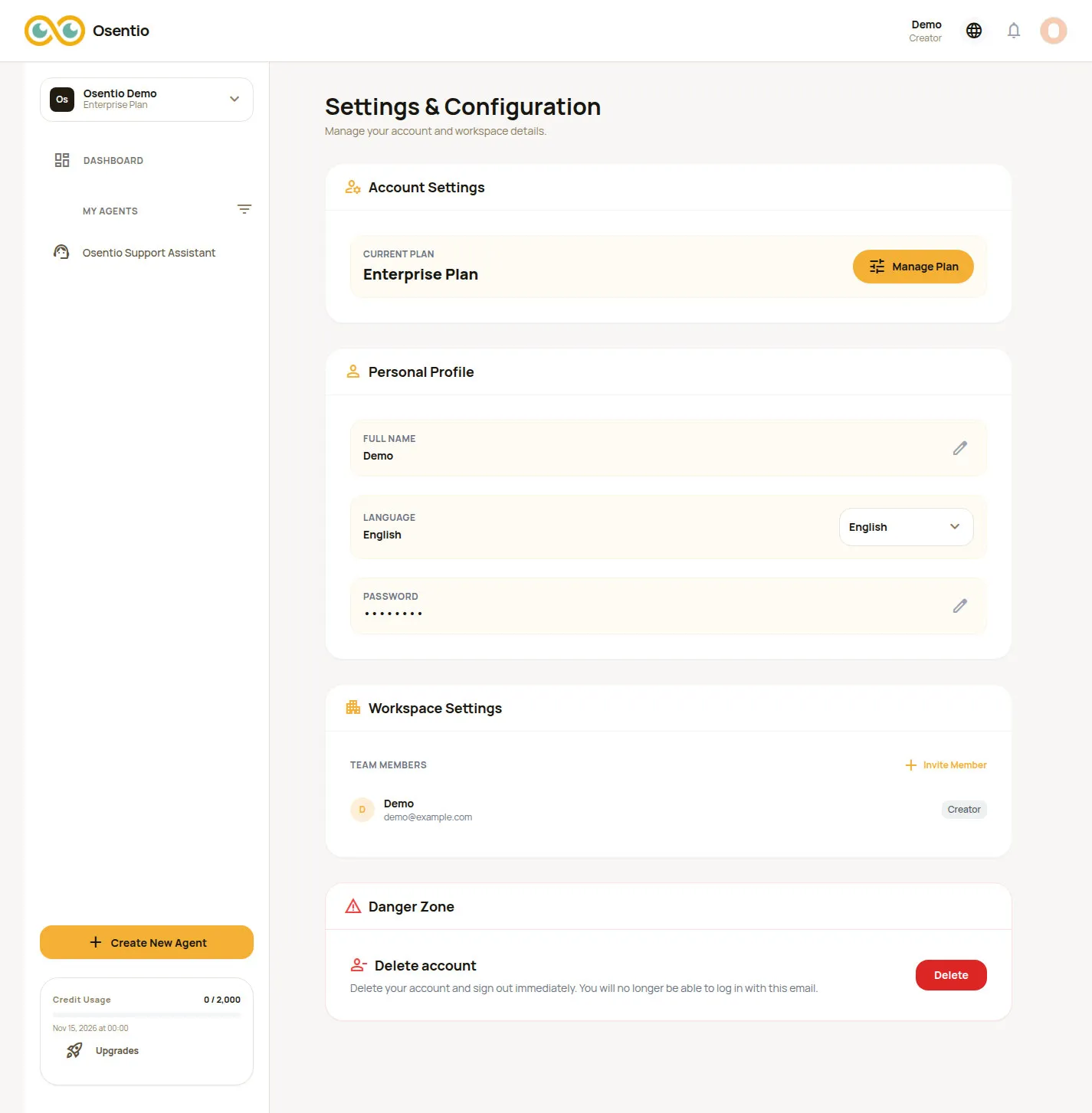
| Item | Description |
|---|---|
| Current Plan | The workspace's plan. Click Manage Plan to change it. |
| Full Name | Click the pencil to change your display name. |
| Language | The language of the back office (English or Traditional Chinese). It applies immediately and is remembered. |
| Password | Click the pencil, enter your current password, then set a new one (at least 8 characters). Accounts that sign in with Google have no password here. |
| Team Members | View and invite members (see chapter 13). |
| Delete account | Permanently deletes your account and signs you out immediately. |
CautionDeleting your account also removes your agents, chat logs and leads, and cannot be undone. Export anything you want to keep first. An active paid subscription must be cancelled, and the account can be deleted only after the paid period has ended and the plan is back on Basic; and the same email can sign up again only one month after deletion.