Chapter 11
Activities
· Published by Osentio
The Activities tab keeps every conversation between the agent and your customers, and the list of leads it collected. Both can be exported as CSV files for your own records.
Chat logs
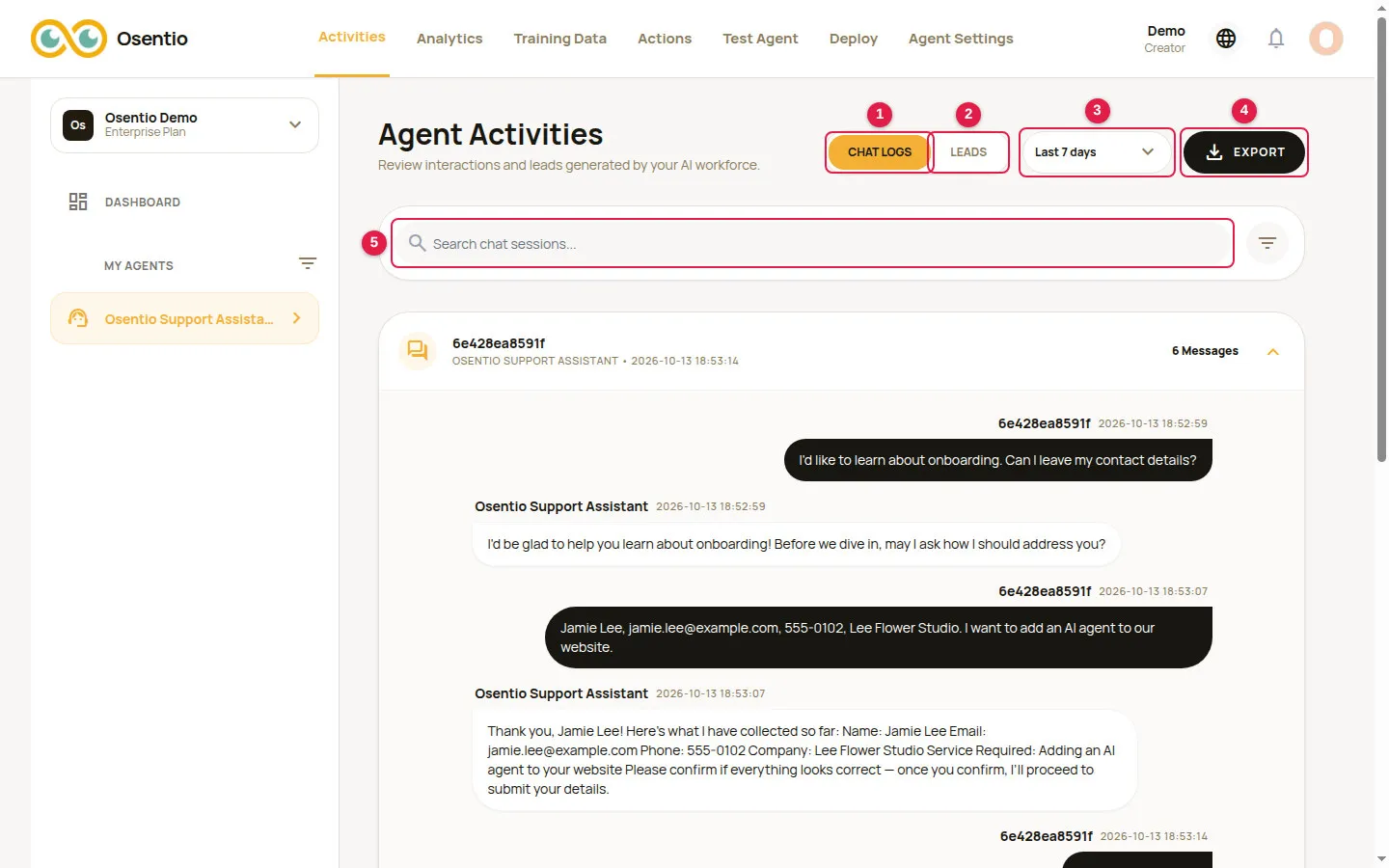
- Chat Logs 1 and Leads 2 switch what is shown.
- The date menu 3 shows the last 7 days by default. You can choose Today, Yesterday, Last 30 days or Custom Range.
- Use the search box 5 to find a conversation by keyword.
- Click a row to expand the full conversation.
- Export 4 downloads the current tab, with the current filters applied, as a CSV file.
Leads
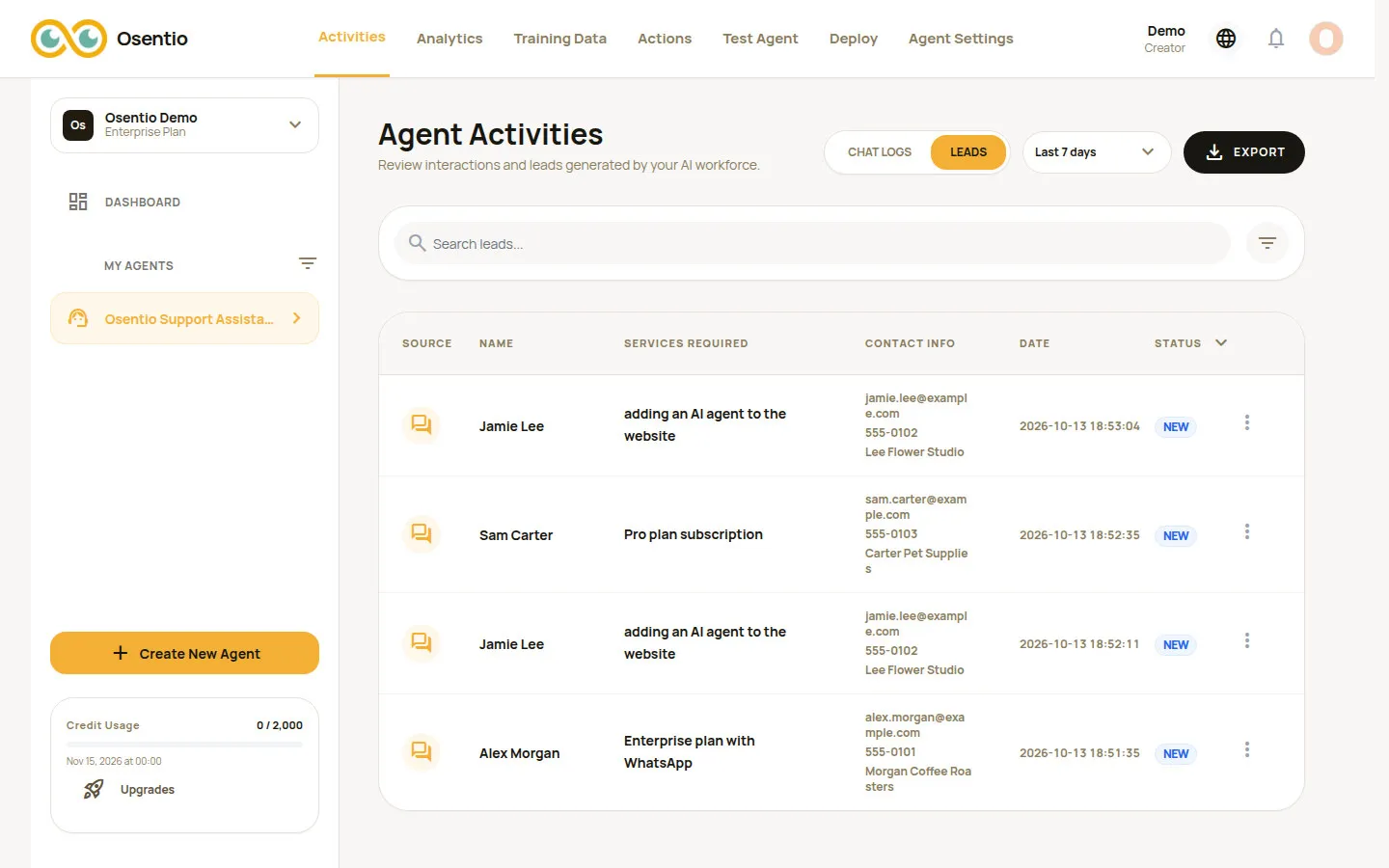
The list shows each customer's name, the services required, contact details, the time it was created and its status. Click ⋮ at the end of a row to Edit or Delete it.
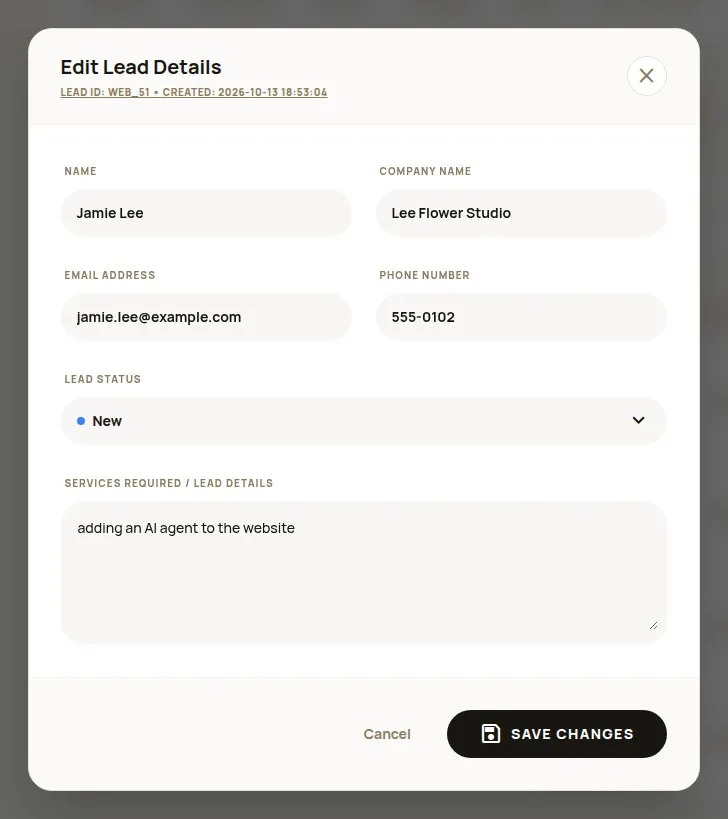
In the edit dialog you can complete or correct the details and update the Lead Status to track your follow-up:
| Status | Suggested use |
|---|---|
| New | Just collected, not handled yet |
| Pending | Assigned, about to be contacted |
| Contacted | The customer has been reached |
| Closed | Won, or no longer followed up |
Click Save Changes when done.
TipThe exported CSV file opens in Excel or Google Sheets. The leads list contains personal data: keep it safe, follow the privacy laws that apply to you, and use it only for the contact the customer agreed to.