Chapter 10
Messaging channel agentsEnterprise
· Published by Osentio
On the Enterprise plan the same AI agent can be connected to Line, WhatsApp, Messenger and Instagram. Messages sent there are answered from the same knowledge base, with no extra training.
Connecting a LINE Official Account
Before you start: you need a LINE Official Account with the Messaging API enabled in the LINE Developers console.
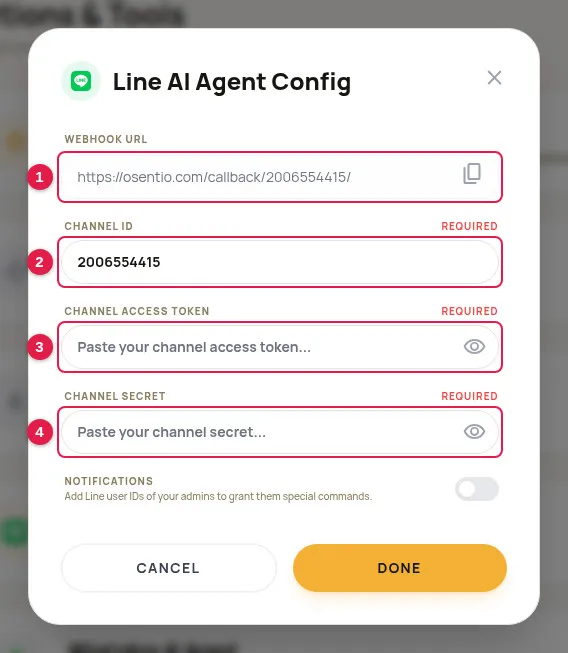
- In the LINE Developers console, open the Messaging API channel and note the Channel ID, Channel secret and Channel access token.
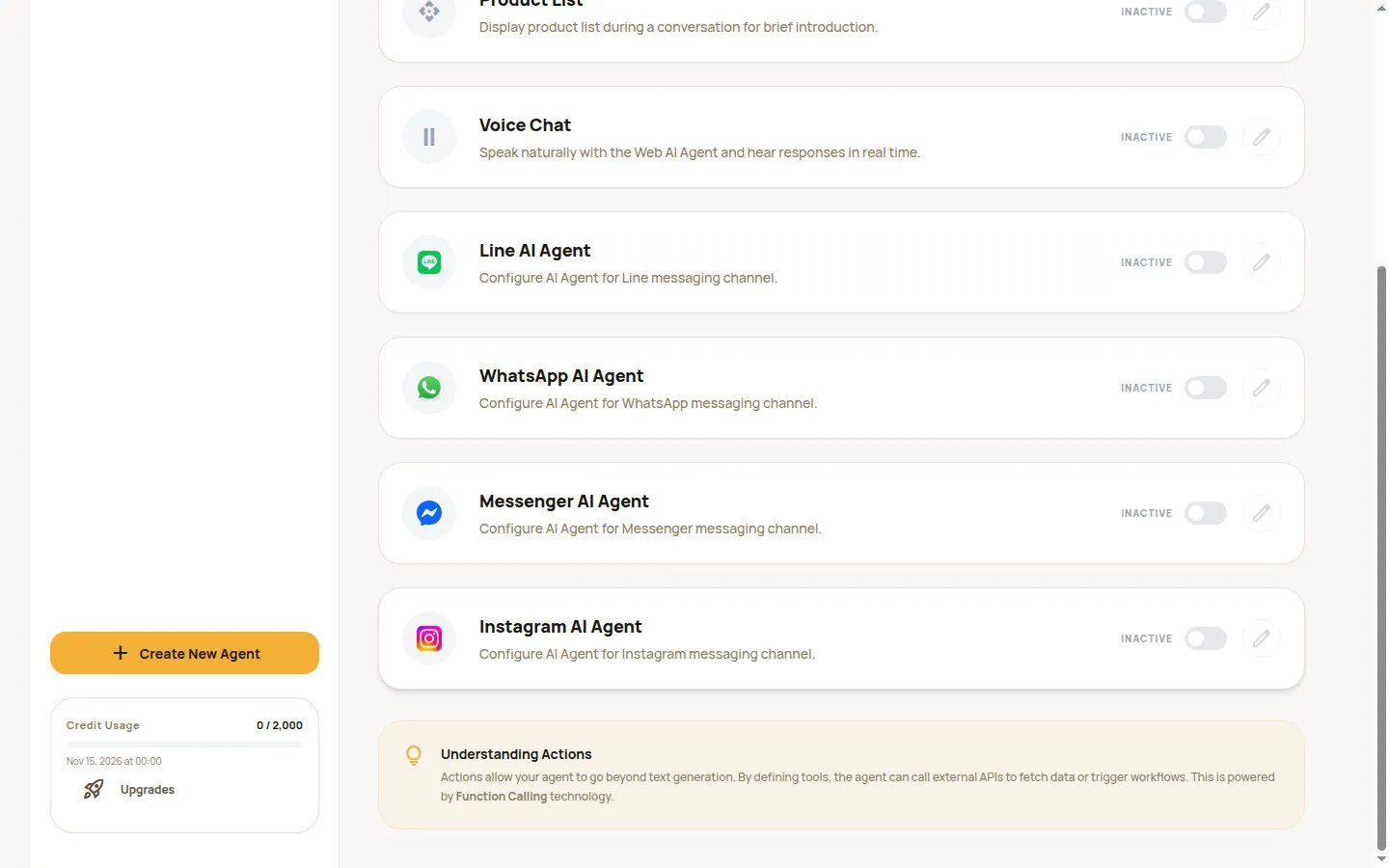
- In Osentio, open Actions, turn on Line AI Agent and click the pencil.
- Enter the Channel ID 2, Channel Access Token 3 and Channel Secret 4.
- Once the Channel ID is entered, the Webhook URL appears at the top 1. Click the icon on its right to copy it.
- Click Done, then Save Changes at the top right of the page.
- Back in the LINE Developers console, paste the address into the Webhook URL field and turn on “Use webhook”.
- Add the official account on your phone and send a message to confirm that the agent replies.
TipTurn off the built-in auto-reply messages in LINE Official Account Manager so they do not duplicate the agent's replies. Notifications at the bottom of the dialog takes administrators' Line user IDs and is optional.
Other messaging apps
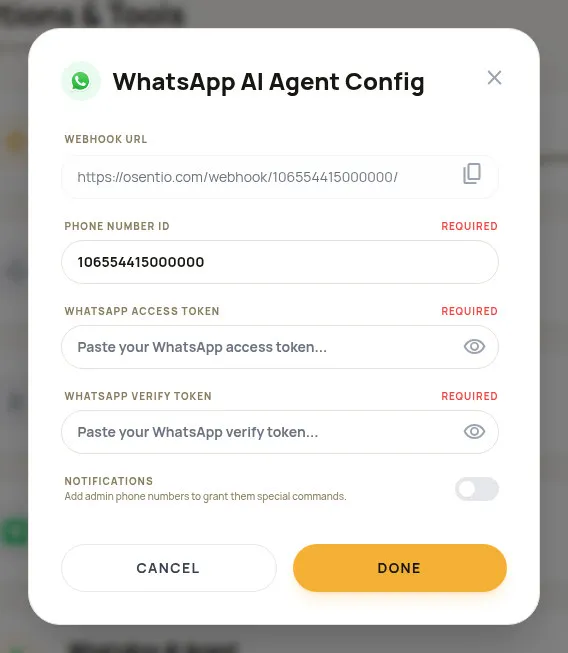
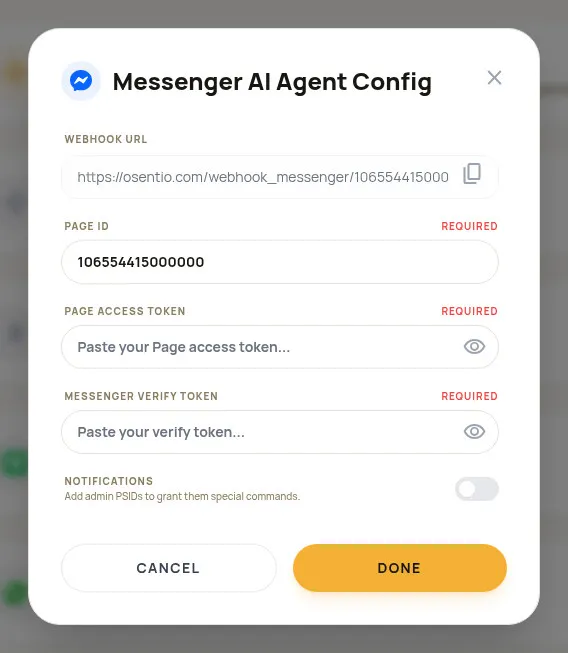
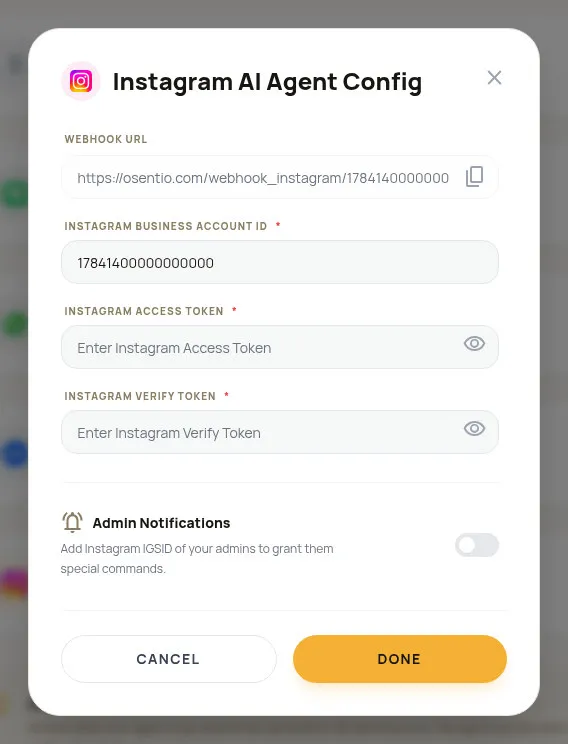
WhatsApp, Messenger and Instagram are set up the same way: get the values below from the Meta developer console, enter them in the dialog and save, then enter the Webhook URL shown at the top of the dialog and your own Verify Token back in the Meta developer console.
| App | Fields to fill in | Webhook URL format |
|---|---|---|
| Phone Number ID, Access Token, Verify Token | https://osentio.com/webhook/{Phone Number ID}/ | |
| Messenger | Page ID, Page Access Token, Verify Token | https://osentio.com/webhook_messenger/{Page ID}/ |
| Instagram Business Account ID, Access Token, Verify Token | https://osentio.com/webhook_instagram/{Instagram Business Account ID}/ |
CautionAccess tokens and the channel secret are the keys to your account. Do not share them with anyone who does not need them or post them anywhere public. A channel cannot be saved as active while a required field is empty.