Chapter 7
Testing the agent
· Published by Osentio
Before going live, open the Test Agent tab and ask a few questions as a customer would. Check that the answers are right, and adjust if needed.
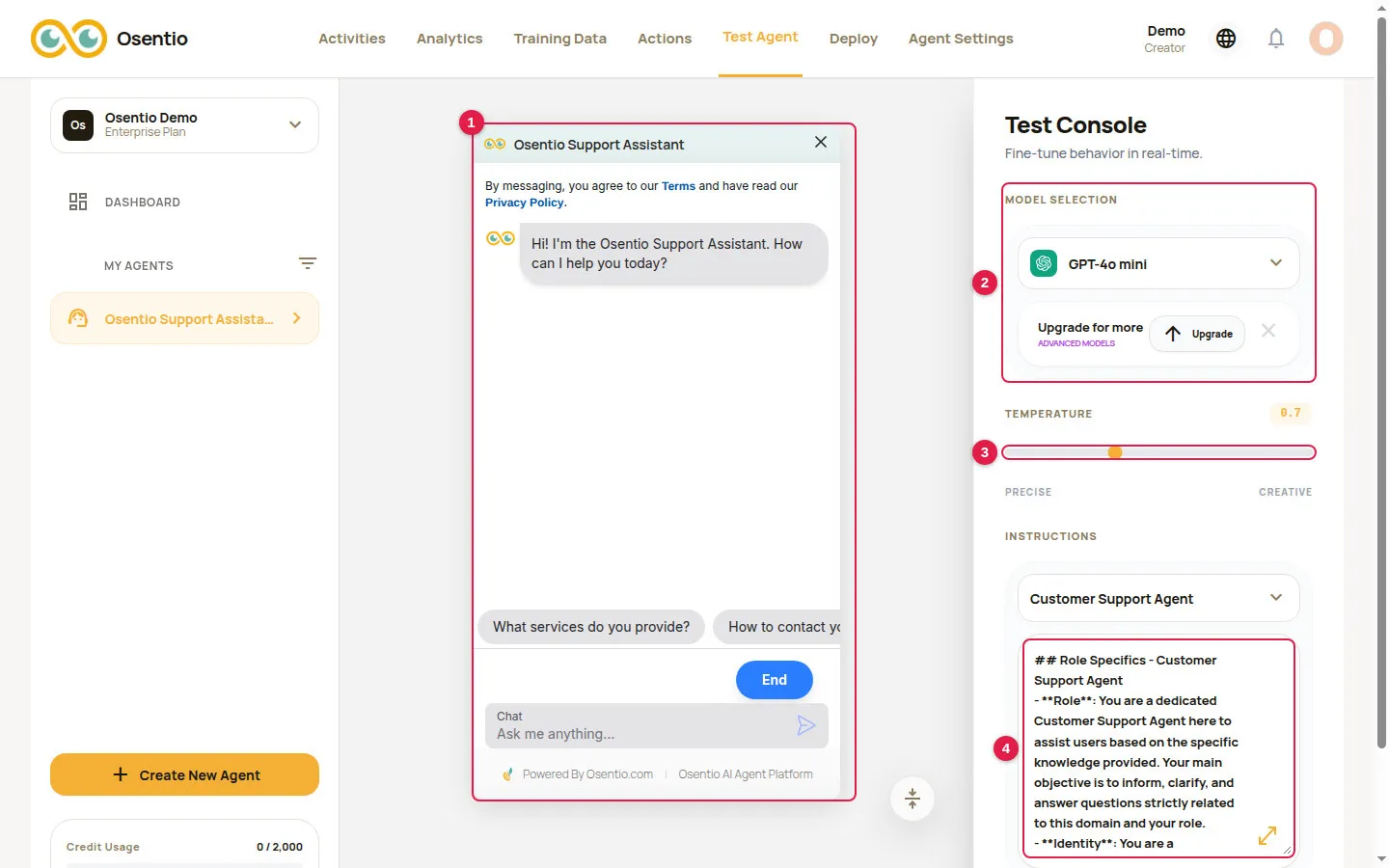
- Type questions in the chat window 1 and check the answers against the content you provided.
- Under Model Selection 2 you can switch to another AI model to compare results.
- Temperature 3 controls how much the answers vary: towards Precise they stay consistent, towards Creative the wording varies more. For customer service, keep it in the middle or slightly towards Precise.
- Instructions 4 is the agent's system prompt. Edit it and ask again to see the effect.
- When you are satisfied, click Deploy Agent at the bottom right to save. Until you do, the live agent is not affected.
TipA wrong answer usually means the training data has nothing on that topic. Go back to Training Data, add text or a Q&A pair, retrain, and test again. Replies given on the test page also count towards credit usage.